จำนวน Repository ( 10 )

DSpace 1.5.2 Manual
DSpace is an open source software platform that enables organisations to: • capture and describe digital material using a submission workflow module or a variety of programmatic ingest options • distribute an organisations digital assets over the web through a search and retrieval system • preserve digital assets over the long term
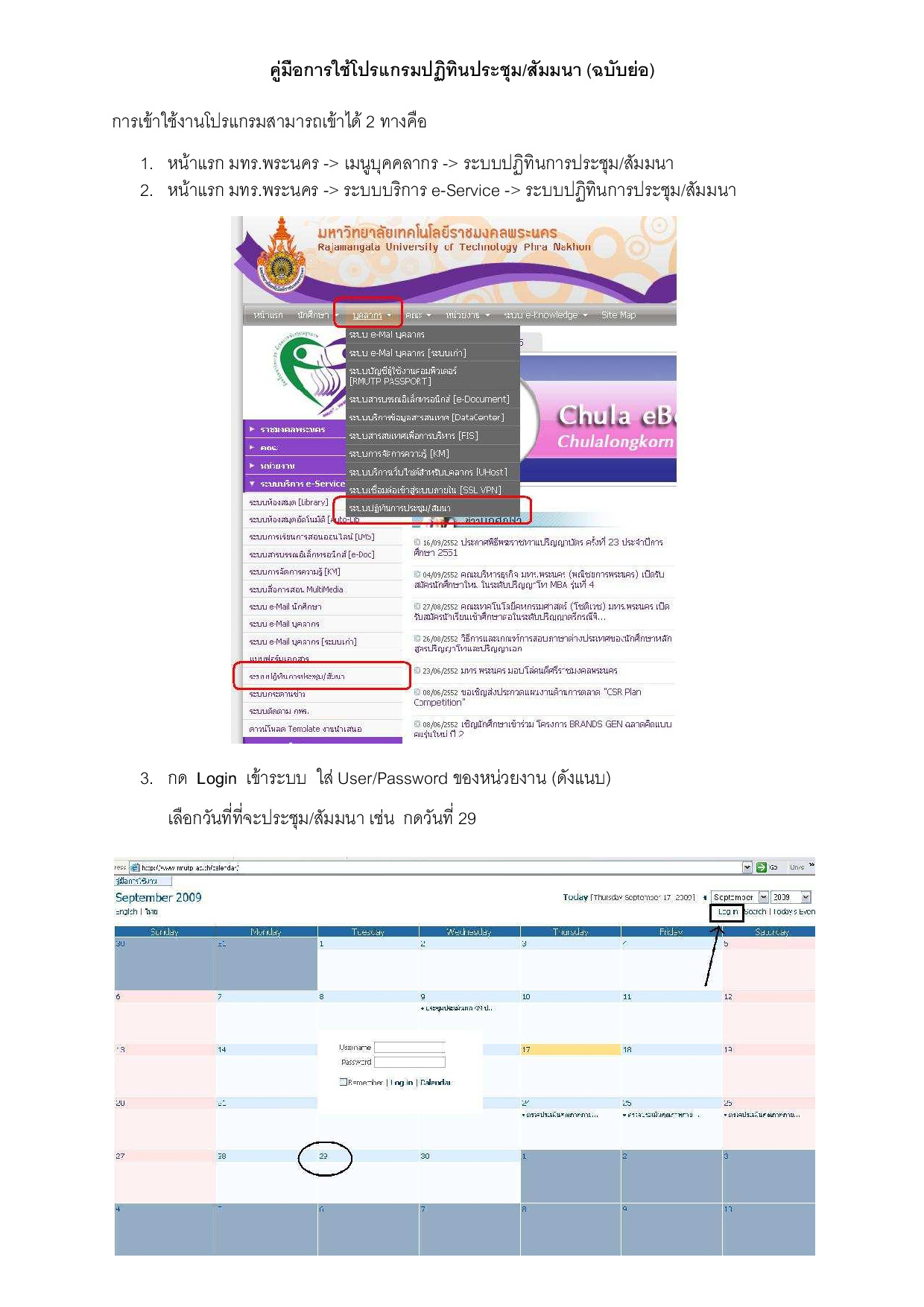
Manual RMUTP Calendar
คู่มือการใช้โปรแกรมปฏิทินประชุมสัมมนา
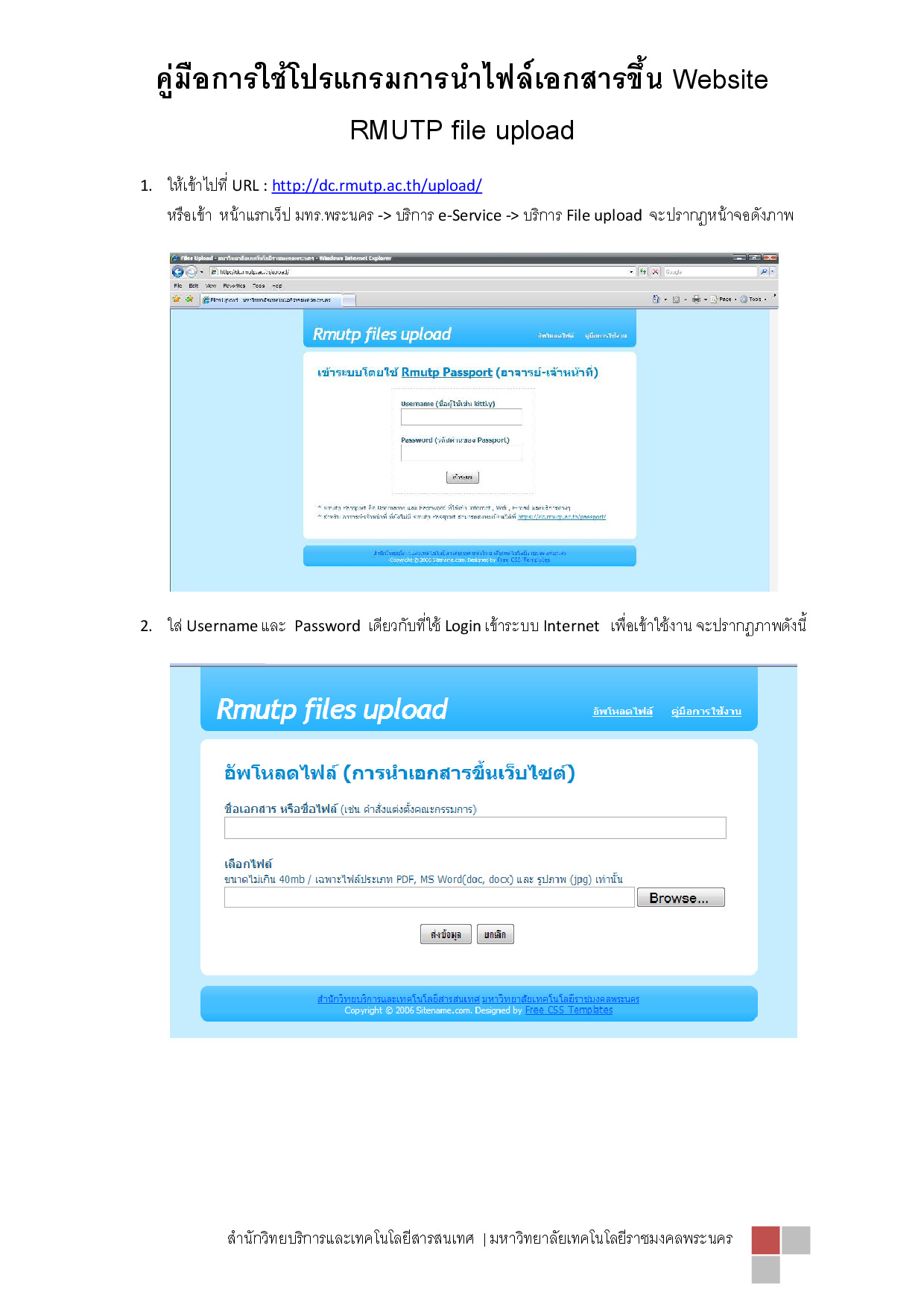
Manual File upload
คู่มือการใช้งานโปรแกรมการนำไฟล์เอกสารขึ้น Website RMUTP file upload
คู่มือการใช้งาน Dspace เวอร์ชั่น 3.x
DSpace is an open source software platform that enables organisations to: capture and describe digital material using a submission workflow module or a variety of programmatic ingest options distribute an organisations digital assets over the web through a search and retrieval system preserve digital assets over the long term. This system documentation includes a functional overview of the system (see page 20) which is a good introduction to the capabilities of the system and should be readable by non-technical folk. Everyone should read this section first because it introduces some terminology used throughout the rest of the documentation. For people actually running a DSpace service there is an installation guide (see page 39) and sections on configuration (see page 145) and the directory structure (see page 564). Finally for those interested in the details of how DSpace works and those potentially interested in modifying the code for their own purposes there is a detailed architecture and design section (see page 570).
Junos OS Security Configuration Guide
Junos OS for SRX Series Services Gateways integrates the world-class network security and routing capabilities of Juniper Networks. Junos OS includes a wide range of packet-based filtering class-of-service (CoS) classifiers and traffic-shaping features as well as a rich extensive set of flow-based security features including policies screens network address translation (NAT) and other flow-based services. Traffic that enters and exits services gateway is processed according to features you configure such as packet filters security policies and screens. For example the software can determine: • Whether the packet is allowed into the device • Which firewall screens to apply to the packet • The route the packet takes to reach its destination • Which CoS to apply to the packet if any • Whether to apply NAT to translate the packet’s IP address • Whether the packet requires an Application Layer Gateway (ALG)